

What is Z.ai?
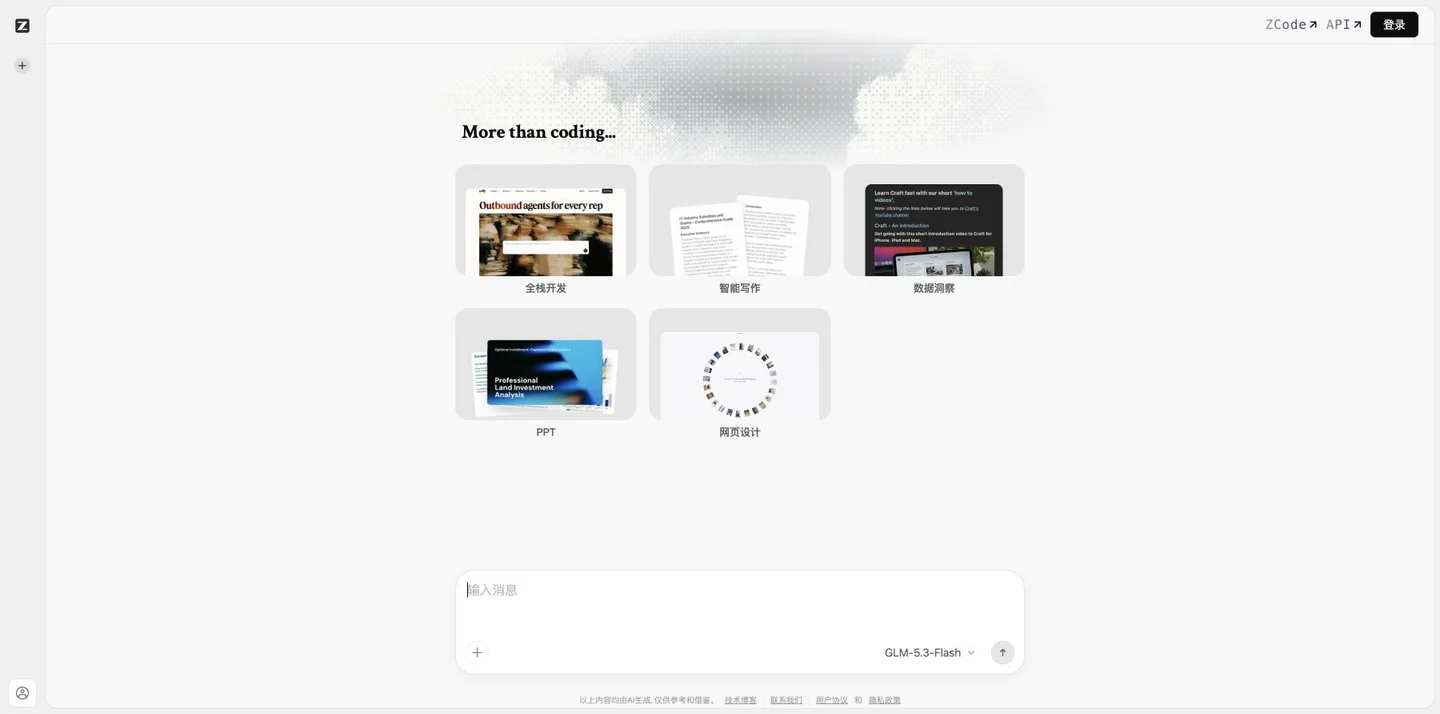
Z.ai handles various creation and analysis tasks through conversational interaction. Its publicly available workspace currently features entry points for full-stack development, intelligent writing, data insights, PPT creation, and web design. Users can start by clearly defining their objectives, then refine their requirements by specifying conditions and desired modifications based on the expected outcomes.
On 2026-10-24, during verification, the interface defaults to displaying the GLM-5.3-Flash model and includes options for model selection and an attachment upload section. This setup is suitable for preparing drafts of websites, code, articles, analyses, or presentations starting from the requirements specification; the specific input format, model, and task capabilities should be based on the current interface.
ZCode and the API have separate navigation systems, and the permissions, usage limits, and billing scopes for development integrations and web tasks must be confirmed separately. When generating code, dependencies, execution, and security boundaries should be thoroughly reviewed; likewise, text, data, and demonstrations must have their facts and sources verified—drafts should not be treated as final, validated deliverables.
Key features
Task categories: development, writing, data, PPT, and web design.
Dialogue Collaboration: Supplement and refine requirements around the objective.
Models and Data: Current model selection and attachment access.
Development Navigation: ZCode and API Entry Point.
Use cases and audience
Developers, content creators, and business professionals who need to prepare code, web pages, articles, analyses, and draft presentations.
- Start by preparing the requirements page and the initial code draft.
- Organize articles and presentation content.
- Pose data analysis questions around the data.
Task objectives, requirement specifications, and the supporting documentation currently available for this feature.
The code, web pages, text, analyses, or presentation content generated by the selected task.
How to use
- 01
First, define the task type and delivery objectives.
- 02
Provide background information, constraints, and the data that needs to be used.
- 03
Gradually add requirements and verify the generated results.
- 04
Verify facts, code, and files before delivery or integration.
Benefits and limitations
Benefits
- Multiple task directions are concentrated in the same conversation workspace.
Limitations
- The model and account access scope may change.
- Code generation and analytical conclusions require independent verification.
Official website & sources
Updated on 2026-10-24