

What is Palette?
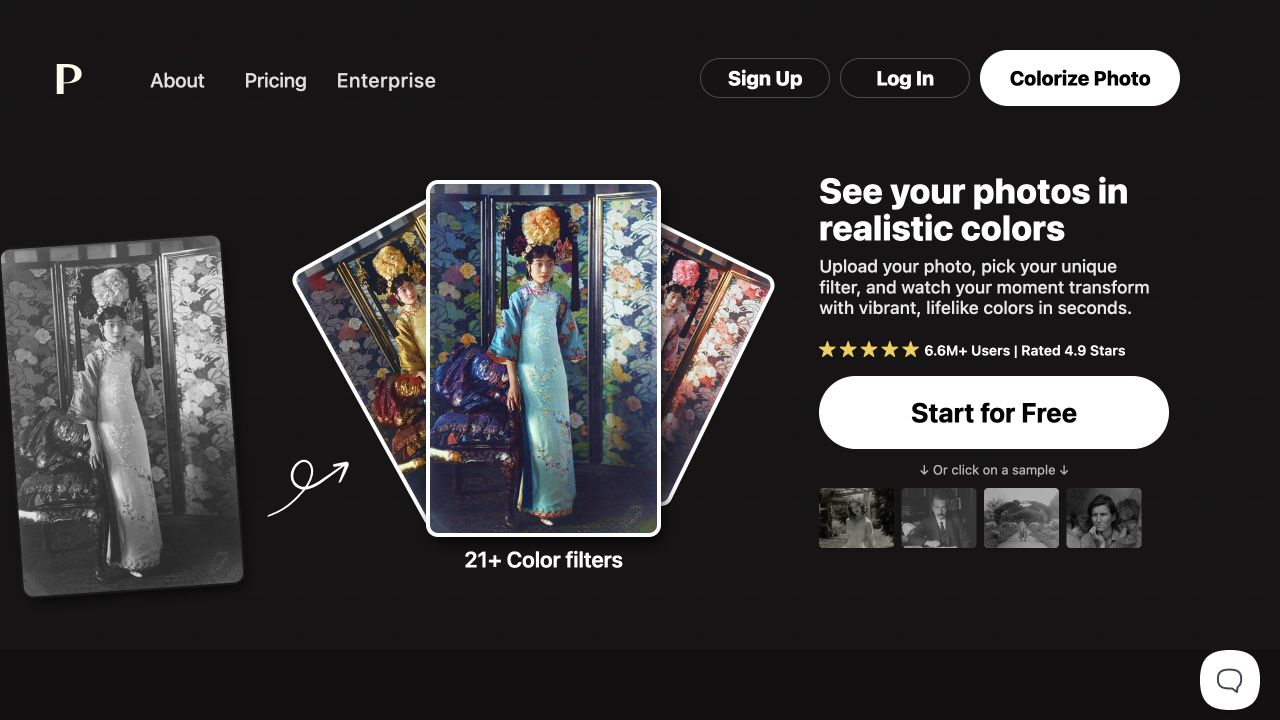
At its core, Palette enables you to quickly generate multiple colorization options for the same black-and-white photo. After uploading family snapshots, portraits, or other black-and-white images, you can review each filter one by one, compare how skin tones, clothing, and surroundings are colored, and then select the version that best matches the mood of the photo. It handles colorization directly, without requiring you to manually paint individual areas in professional image-editing software.
The tool offers color‑keyword adjustments and the ability to upload multiple photos, making it ideal for organizing a batch of old images into a browsable, colorized version. The colors inferred by the AI do not necessarily reflect the true colors of the past; if the photos are intended for archival purposes, publication, or research, the original negatives should be retained, and key details should be cross‑checked against clothing, period-specific information, and other relevant sources.
The specifications for the free preview differ from those of the official export. According to the official website, the free preview retains a watermark and imposes size restrictions, while the quota is reserved for watermark-free, high-resolution exports. By first comparing filters and details to settle on a version you’re satisfied with, then deciding whether to use your quota for exporting, you can avoid mistaking the low-resolution preview for the final product.
Key features
AI Colorization: Generates color candidates from black-and-white photos.
Color Selection: Compare over twenty filters to adjust your photo’s color scheme and mood.
Keyword fine-tuning: Continue modifying the selected result by using color descriptions.
Image Export: Offers free previews and high-resolution, watermark-free exports on a per‑quota basis.
Use cases and audience
Individual users who organize old family photos, as well as photographers, designers, and content editors who work with black-and-white images.
- Family photo albums and organizing old photos.
- Compare different color schemes for black-and-white portraits or scene photos.
Black-and-white photos, as well as keywords for color adjustment.
Color photo previews, or watermark-free high-resolution images exported using the credit limit.
How to use
- 01
Upload a photo or try the official website’s example first.
- 02
Compare filters and choose the appropriate color effect.
- 03
Use the adjustment entry to input color keywords and verify the details of the figure and the background.
- 04
Download the preview; when you need to export the final version, verify the budget, resolution, and watermark settings before exporting.
Benefits and limitations
Benefits
- Filter comparisons and keyword fine-tuning are placed in the same workflow, making it easy to experiment with color schemes.
- You can first preview it for free, then decide whether to purchase a full export quota.
Limitations
- Color generation is based on algorithmic inference and cannot be used to verify historical colors.
- Free previews include watermarks and are subject to size limits; high-resolution, watermark-free output requires a credit.
Pricing and availability
Free entry available
The official website states that the preview has a maximum side length of 500 pixels and includes a watermark; a one-time free trial is also provided.
The official website offers subscription plans and one-time credit packages; each credit corresponds to a watermark-free, high-resolution colorized image, up to 5000×5000 pixels. You can switch between package quantities and purchase cycles, and be sure to verify your selected plan before payment.
- Pricing source
- https://palette.fm/
- Pricing last updated
- 2026-10-22
Prices and limits may change. Check the official website for current terms.
Official website & sources
Updated on 2026-10-22