
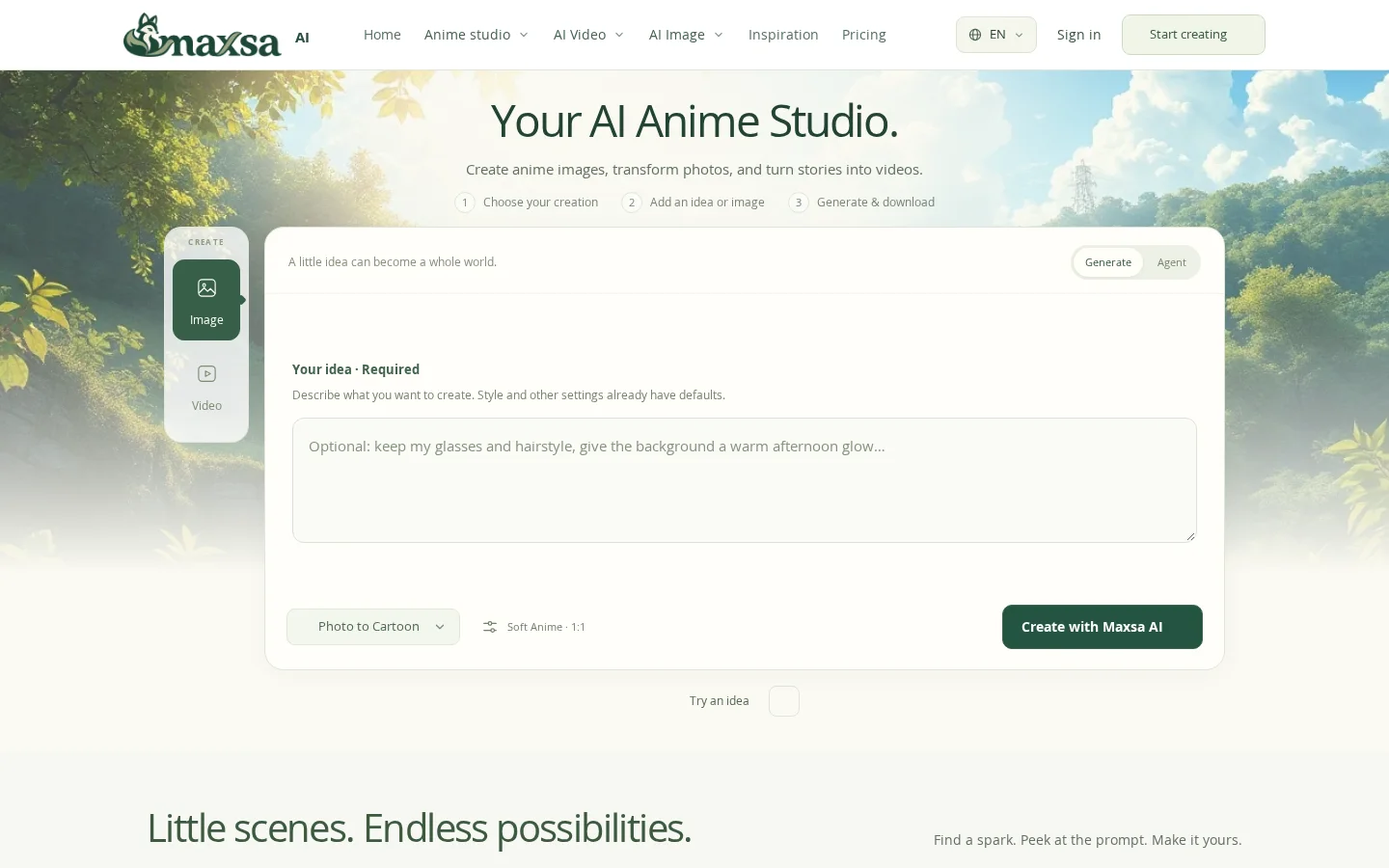
What is Maxsa AI?
It provides focused tools and well-considered creative starting points, centered around anime, covering character design, storyboarding, scene construction, and lightweight animation—for example, adding subtle breezes, gestures, or camera movements to illustrations, with optional audio available on supported models. All generated outputs default to silent videos; voiceovers, music, or lip-syncing are currently not supported.
Key features
Supports one-click conversion of personal photos (JPG/PNG/WebP, single file ≤10 MB) into anime or cartoon styles, with customizable styles and optional instructions to fine-tune results.
The Agent feature automatically plans shots, generates visuals, and assembles them into multi-shot silent short videos based on textual stories. Once the opening credits are confirmed, the entire process runs automatically.
Use cases and audience
Ideal for anime, manga, and cartoon enthusiasts with no drawing or animation background—users can simply describe the theme, setting, and mood, select a style, and begin creating; they can also start from gallery examples and adjust prompts accordingly.
- Create original anime-style images, such as character designs, scene compositions, and storyboard scripts.
- Convert personal photos into anime/cartoon-style images
- Generate a 4-second silent short video from a text description or static illustration
Textual prompts (including theme, settings, and atmosphere), reference images (JPG/PNG/WebP, ≤10 MB), or existing illustrations; some features also allow adding additional directional instructions.
Original anime-style images, anime-style portraits, storyboard-style sequences, and 4-second silent short videos (supporting basic animations like breeze, gestures, and camera movements; certain models even support sound effects).
Frequently asked questions
Can I convert my own photo into anime style?
Sure. Select the “Photo to Cartoon” feature, upload a JPG, PNG, or WebP file (≤10 MB), choose a style, and the result will be generated. We recommend using clear images for which you hold the copyright or have obtained proper authorization.
Can my generated content be used commercially?
Commercial usage rights depend on the licensing terms of the selected model and the ownership of the rights to your input content. A paid subscription does not automatically grant copyright, trademark, or portrait rights; please refer to the content rights documentation or email support@maxsa.ai for details regarding the specific models used in generation.
How to use
- 01
Choose your creation type: image generation, photo-to-anime conversion, or text-to-video
- 02
Enter a creative description, upload a reference image, or select and modify one from the example prompts
- 03
Confirm the credit points consumption displayed before generating
- 04
Download the result immediately after generation; free creations must be downloaded within 24 hours
Benefits and limitations
Benefits
- 在一个工作室中整合图像创作、照片风格转换、漫画、分镜和视频工具
- 提供丰富的视觉风格和 AI 模型
- 支持文本提示和参考图
- 生成前会显示所需积分
- 符合条件的新账号可获得 50 份欢迎积分
- 付费方案提供私人云存储和无水印下载
Limitations
- 积分消耗会根据模型、设置和创作类型而变化
- 免费生成的作品为临时内容,必须在 24 小时内下载
- 月度订阅积分会过期,不能结转
- 基础短视频生成功能不含声音;是否支持音频取决于所用模型和选项
- 当前版本不提供项目或系列工作区
- 商用权利取决于所选模型的条款,以及用户是否拥有输入内容的相关权利
Pricing and availability
符合条件并完成验证的新账号可一次性获得 50 积分,有效期为 30 天。
每月 1,500 积分;5 GB 私人云存储;一次可生成 1 个任务。
每月 3,600 积分;20 GB 私人云存储;一次可生成 2 个任务。
每月 7,500 积分;50 GB 私人云存储;一次可生成 4 个任务。
600 积分,有效期为 12 个月;无需订阅。
Each generation task displays the required number of credits, and failed tasks will refund any reserved credits. Verified accounts receive a one-time welcome credit of 50 points, valid for 30 days. Free-generated results are stored temporarily and must be downloaded within 24 hours. For paid accounts, generated content is saved in private cloud storage; however, the current version does not offer project- or series-based workspaces.
- Pricing source
- https://maxsa.ai/
- Pricing last updated
- 2026-10-30
Prices and limits may change. Check the official website for current terms.
Official website & sources
Updated on 2026-10-30