

What is Inkwell?
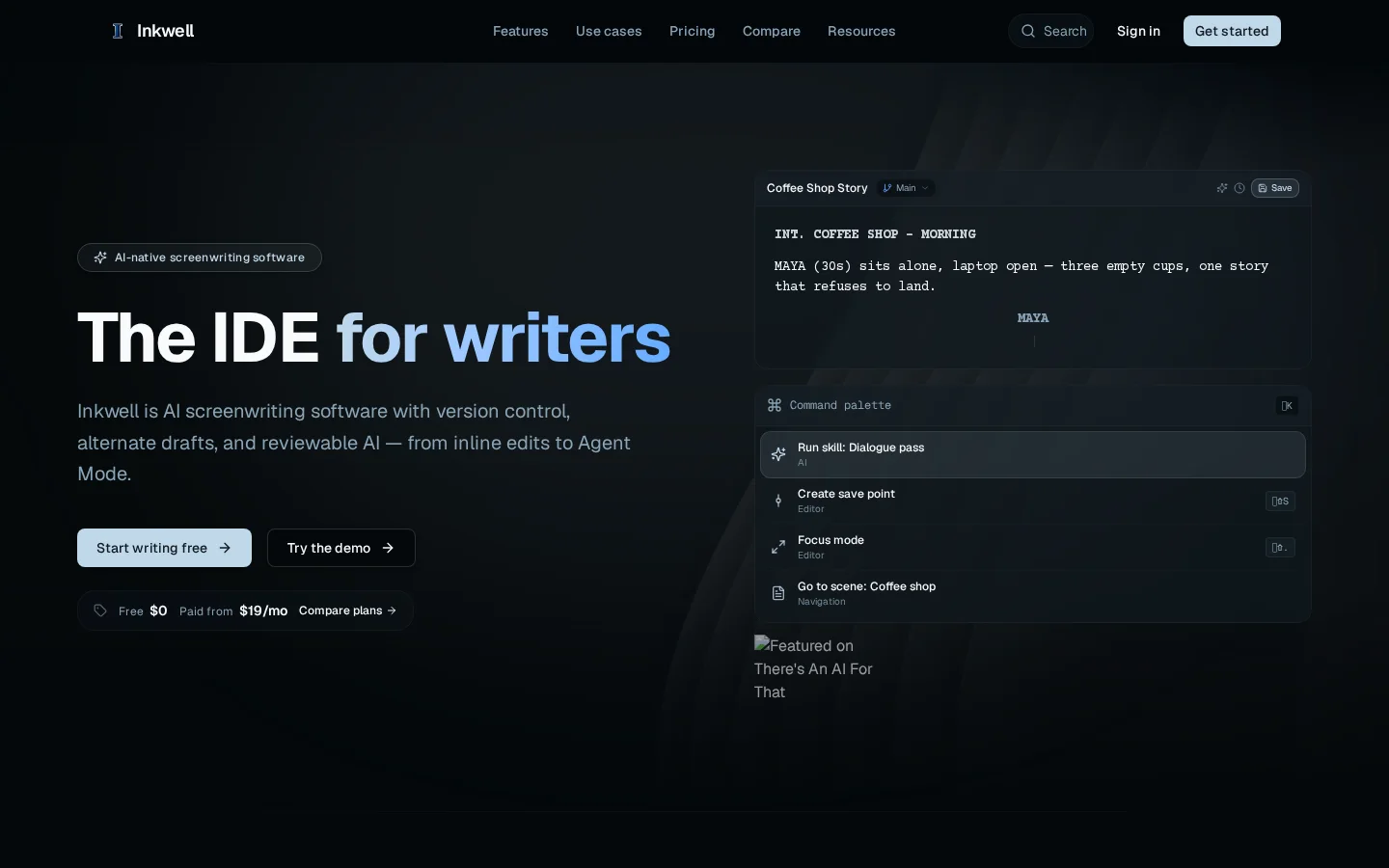
Inkwell is an AI-native screenwriting tool specifically designed for screenwriters, offering industry-standard automatic formatting, structured difference comparisons based on scenes and dialogue lines, intelligent recognition of 16 types of script elements (such as scene numbers, character names, and dialogue), along with real-time Ghost Text suggestions, skill invocation via the command panel (e.g., Dialogue Pass), scene navigation shortcuts (⌘⇧.), and focus mode (⌘⇧S)—all delivering developer-level editing experiences. All AI modifications appear as suggestions, allowing users to accept or reject them individually, ensuring that creative sovereignty remains firmly in the author’s hands. Its underlying architecture employs a unified structured model, supporting save points, AI skills, production tools, and collaborative features. It also enables bidirectional import/export between Fountain and Final Draft (FDX) formats and can export PDFs, guaranteeing long-term readability and cross-platform portability of scripts.
Key features
Ghost Text Inline Suggestions: Generates contextually appropriate dialogue or plot prompts in real time as you type (e.g., “What if the ending was just the setup?”). Press the right arrow key to accept or Esc to cancel; none of the suggestions are applied automatically.
Scene-Level Difference Comparison (diffs by scene and dialogue): Intuitively displays additions, deletions, and minor dialogue adjustments for each scene (e.g., “−She waits. +She turns toward the door.”), eliminating traditional line-number confusion and facilitating long-term revisions and multi-person reviews.
Use cases and audience
Professional screenwriters, film and TV developers, series creators, production teams, and authors of long-form documents such as novels or research papers (via the Canvas product).
- AI-Assisted Screenwriting: Provides real-time suggestions during the writing process, including scene endings and dialogue polish, supporting everything from single-sentence completions to full-scene rewrites.
- Multi-version script management: Use the ‘Draft lines’ feature to save parallel branches of scripts with different endings or styles, without needing to duplicate files.
- Professional production collaboration: Utilize Blue revision pages and scene/dialogue-level comparison tools to ensure your team always works with the latest script versions.
Standard screenplay text (supports Fountain syntax), user-selected lines or scenes, and natural language commands (such as “Dialogue pass” or “What if the ending was the setup?”).
Format-compliant screenplay text (including WGA 10-color revision marks), structured difference comparisons (by scene and dialogue), AI-generated draft suggestions (Ghost text, skill outputs, or Agent Mode results), and exportable FDX/PDF/plain text files.
Frequently asked questions
Will Inkwell’s AI modify my script without permission?
No. Ghost text is only a suggestion; all changes made in Edit selection, Skills, and Agent Mode are presented as explicit recommendations that must be manually accepted or rejected; moreover, Agent Mode operates on separate draft outputs, which ultimately require human review before being merged.
Can I import existing Final Draft scripts?
Yes. It supports bidirectional import and export of FDX (Final Draft) and Fountain formats, and can also export industry-standard PDFs.
How to use
- 01
Visit inkwell.software and click “Start writing free” to begin your free trial.
- 02
Enter standard script formatting in the editor (e.g., INT. COFFEE SHOP - DAY), and the system will automatically recognize 16 types of script elements.
- 03
Press ⌘K to bring up the command panel, select skills like “Dialogue pass” to run AI polish, and all edits will be presented as suggestions that you can accept or reject.
- 04
Use “Save point” to save key moments, or create Draft lines such as “Alt ending” to explore alternative storylines.
Pricing and availability
Free version: $0; Writer version: $19/month; Pro version: $39/month; Team version: $39 per seat/month; Enterprise—custom pricing available. All plans support the use of your own AI API key.
- Pricing source
- https://www.inkwell.software/
- Pricing last updated
- 2026-10-29
Prices and limits may change. Check the official website for current terms.
Official website & sources
Updated on 2026-10-29

